
MySQL Connections
TablePro connects to MySQL 5.7 and later through its bundled driver, built on MariaDB Connector/C. MySQL 8’scaching_sha2_password auth works out of the box. MariaDB uses the same driver; MariaDB-specific notes are on MariaDB.
Quick Setup
1
Create Connection
Click Create Connection on the welcome window, pick MySQL, and fill in host, port, and credentials
2
Test and Save
Click Test Connection to verify, then Save & Connect
Connection Settings
Common Setups
AWS IAM Authentication
RDS and Aurora connections can use your AWS identity instead of a static password: TablePro signs a fresh 15-minute token on every connect and reconnect. Setup and troubleshooting are on AWS IAM Authentication.Google Cloud SQL
Turn on Cloud SQL Auth Proxy in the connection form and enter the instance connection name; TablePro starts and stops the proxy for you. See Cloud SQL Auth Proxy.Users & Roles
View > Users & Roles manages users, roles, and privileges on MySQL servers. Changes are staged, undoable, and shown as SQL before they run. See Users & Roles.Query Plans
EXPLAIN and EXPLAIN FORMAT=JSON results render as a visual plan diagram. See EXPLAIN Visualization.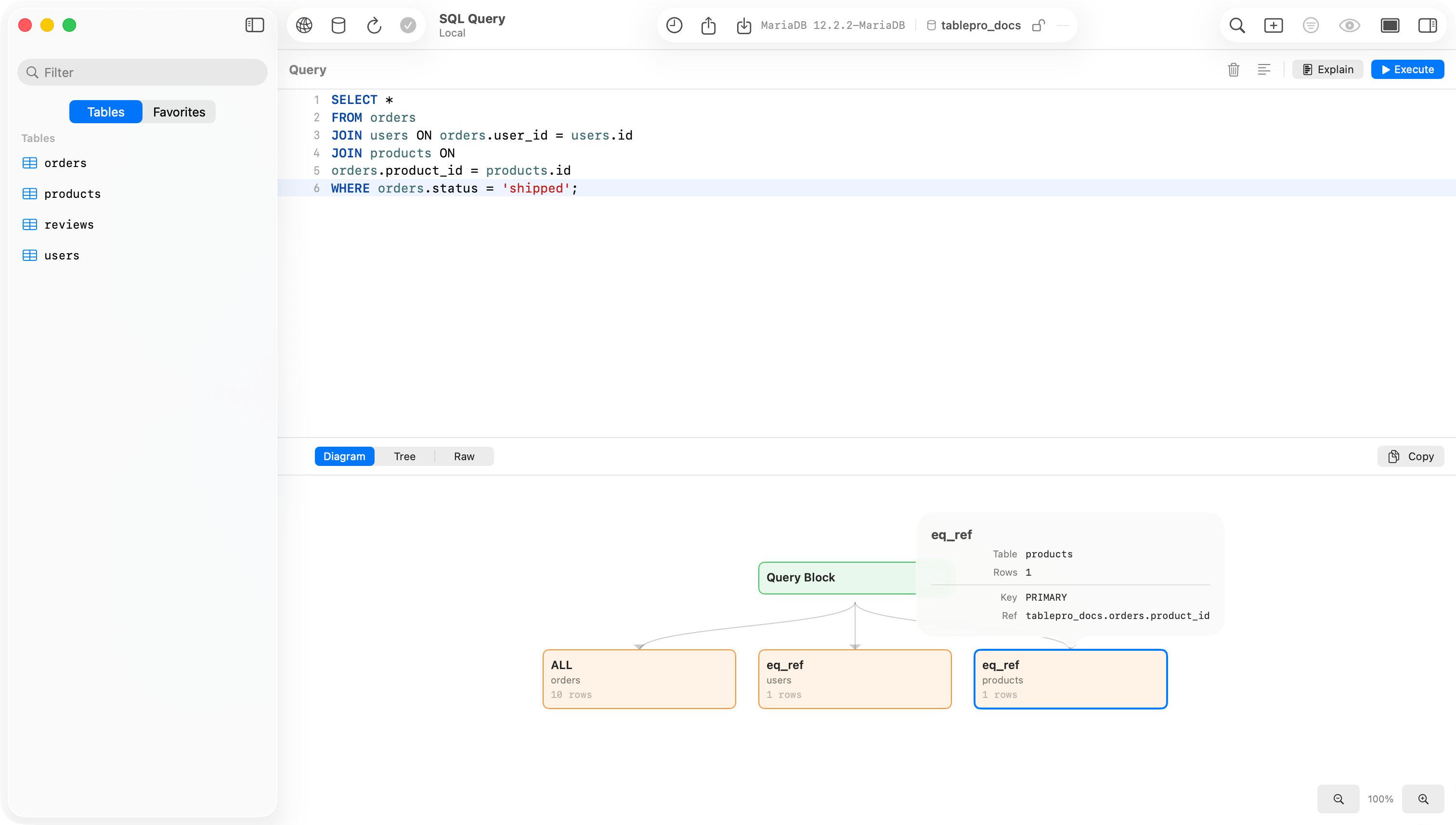
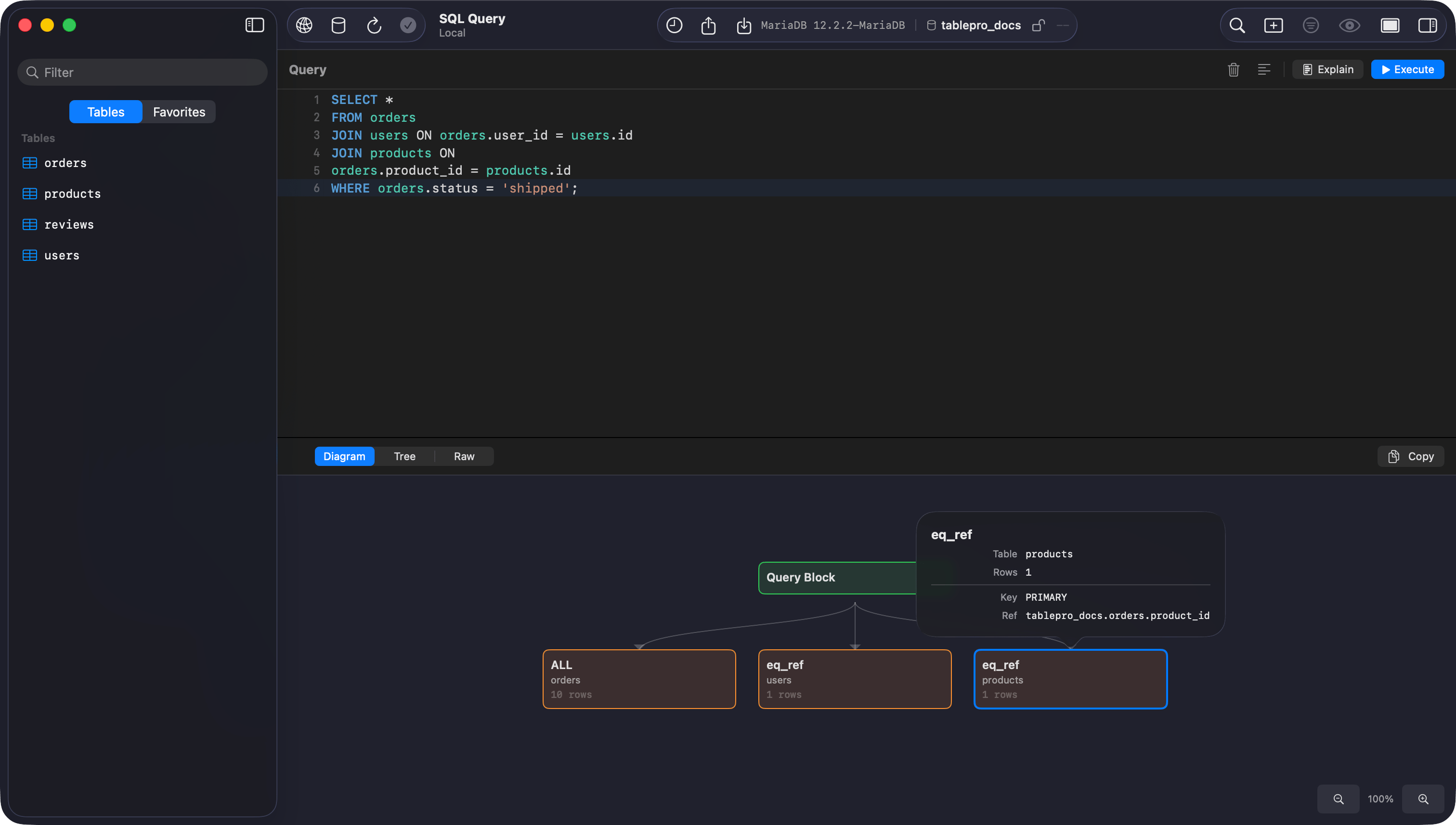
EXPLAIN rendered as a visual plan
Browsing
The sidebar lists all accessible databases with each table’s structure (columns, indexes, foreign keys) and DDL. Switch databases with Cmd+K. JSON columns, window functions, and CTEs run and display like any other query. Table and column comments show in the UI: the sidebar dims a table’s comment after its name, and the data grid header tooltip includes the column comment. Toggle this with View > Show Object Comments. Set session variables (timezone, encoding) on connect with Startup Commands.SSL/TLS
New connections default to Preferred: the driver tries TLS first and retries in plain text only after an SSL handshake error (auth and network errors are not retried). This works for Cloud SQL, Azure MySQL, and local Docker alike. Use Verify CA with the provider’s certificate for strict validation. See SSL/TLS.Troubleshooting
Connection refused: check the server is running (brew services start mysql), the port is right, and skip-networking is not set.
Access denied: verify credentials and privileges with SHOW GRANTS FOR 'user'@'host';.
Auth plugin errors: caching_sha2_password is supported natively. If a plugin error persists, check the user’s plugin with SELECT user, plugin FROM mysql.user;.