
CockroachDB Connections
TablePro connects to CockroachDB, a distributed SQL database that is wire-compatible with PostgreSQL, using the same libpq driver as PostgreSQL. Schema introspection readsinformation_schema and pg_catalog, and table and view DDL come from CockroachDB’s native SHOW CREATE. The PostgreSQL page applies unless noted here.
Connection Settings
Fill in the form and click Save & Connect. For a local node started with
cockroach start-single-node --insecure, set SSL Mode to Disabled and leave the password empty.
CockroachDB Cloud
CockroachDB Cloud connection strings include a cluster routing parameter. Copy the host, port, user, password, and database from the Cloud console, then put the routing value in the Connection Options field under the Advanced tab:Connection URL
cockroach:// also works. See Connection URL Reference for all parameters.
Features
Schemas: like PostgreSQL, default schemapublic. Switch with Cmd+K.
DDL: table and view definitions come from SHOW CREATE. Indexes come from SHOW INDEXES. Foreign keys are read from information_schema.
EXPLAIN: EXPLAIN and EXPLAIN ANALYZE render as a visual plan tree. CockroachDB returns text plans, not JSON, and TablePro parses them into the tree.
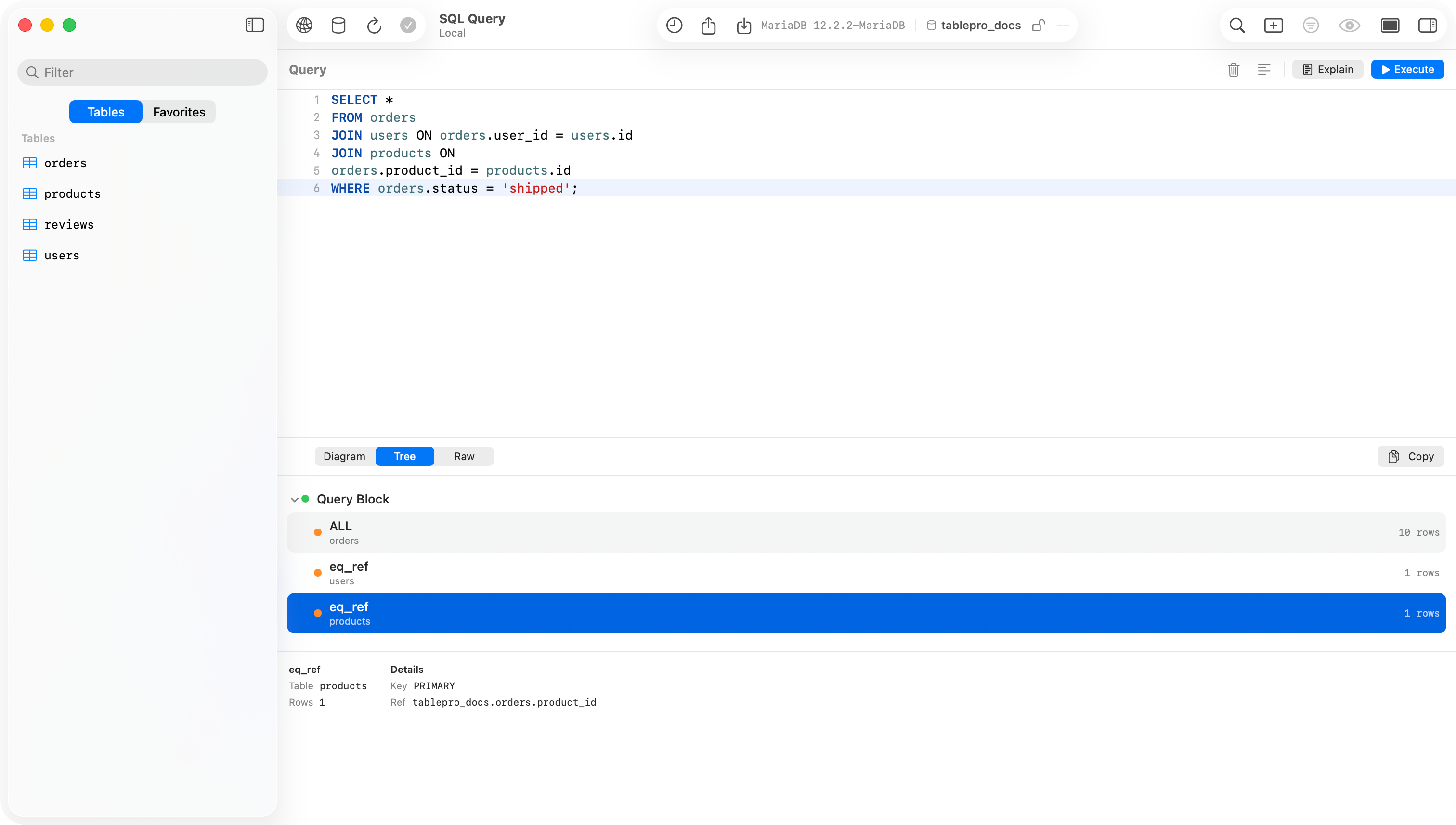
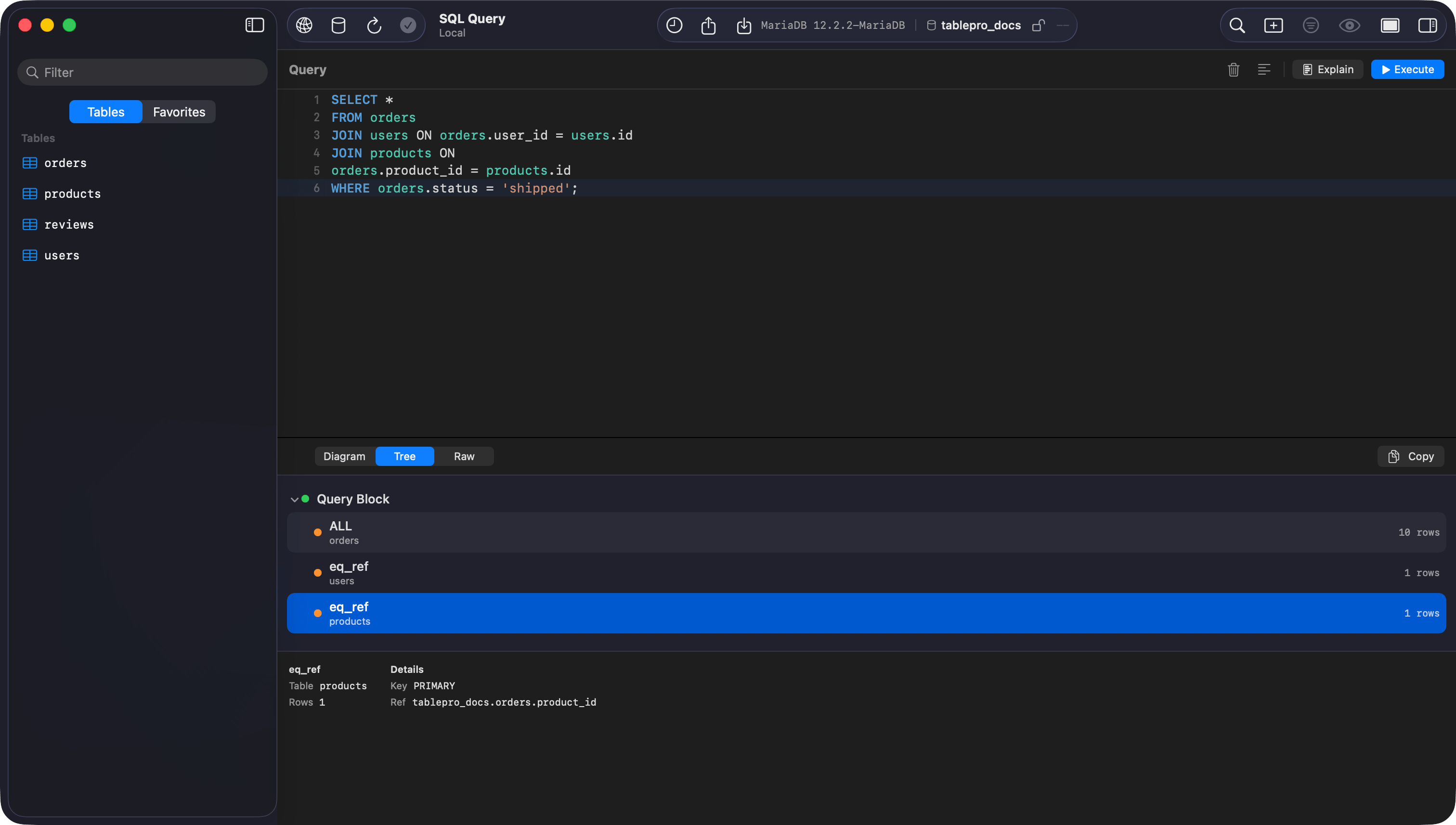
EXPLAIN output rendered as a plan tree
Limitations
- TablePro disables all structure editing for CockroachDB: no add, modify, or drop column, no index changes, no primary key changes from the structure tab. Run schema changes as SQL in the editor.
- No
pg_dump/pg_restore. The Backup Dump and Restore Dump menu items are not available. Use CockroachDB’sBACKUPandRESTORESQL statements instead. - No
VACUUM. CockroachDB garbage-collects automatically, so the maintenance panel does not offer it. - Foreign key checks are not deferrable.
Troubleshooting
Connection refused: check the cluster is running and the port (default26257) is reachable. For local clusters, confirm cockroach start is still running.
Auth failed: for local insecure clusters use user root with no password and SSL Mode Disabled. For Cloud, copy credentials from the console and use SSL Mode Verify Identity.
Cloud connection hangs or rejects: make sure the cluster routing value is set in Connection Options (--cluster=your-cluster-name).
EXPLAIN shows raw text: plan output that does not match the expected tree shape falls back to raw text display.